
I’ve been working with websites long enough to know one thing for certain: just because a website looks good doesn’t necessarily mean it’s well built.
It can look great on a phone. It can seem fast. It can have attractive images, good copy, and all the right pages in place.
And yet, behind the scenes, there may be issues that visitors don’t notice — but browsers and search engines certainly do.
Titles that are too short or too long. Images without ALT attributes. Structural issues. Missing SEO elements. Missing security headers. Pages with too little meaningful content.
Small things when considered individually. But together, they can reveal quite a lot about the overall health of a website.
It Started With a Very Simple Question
Over the years, I’ve reviewed hundreds of websites. Some were built by me, some came to me because they needed fixing, and others were analyzed before a redesign or an SEO campaign.
And the same question kept coming up:
“Okay, but where do I start?”
For someone who doesn’t work in web design, development, or SEO, the answer is rarely obvious.
There are dozens of excellent online tools for SEO, performance, security, and technical analysis. But many of them give you endless charts, hundreds of metrics, and terms such as canonical tags, security headers, meta descriptions, heading structure, or indexability.
The information is there.
The real problem is: what do you do with it?
That’s where the idea for a simpler tool came from.
Not a tool designed to impress you with the amount of data it can display, but one that quickly answers three practical questions:
What’s working? What isn’t? What should I fix?
So I Did the Obvious Thing: I Audited My Own Website
This is where the story gets slightly amusing.
Because finding problems on other people’s websites is easy.
It becomes much more interesting when the tool you’ve just built starts finding problems on your own. 🙂
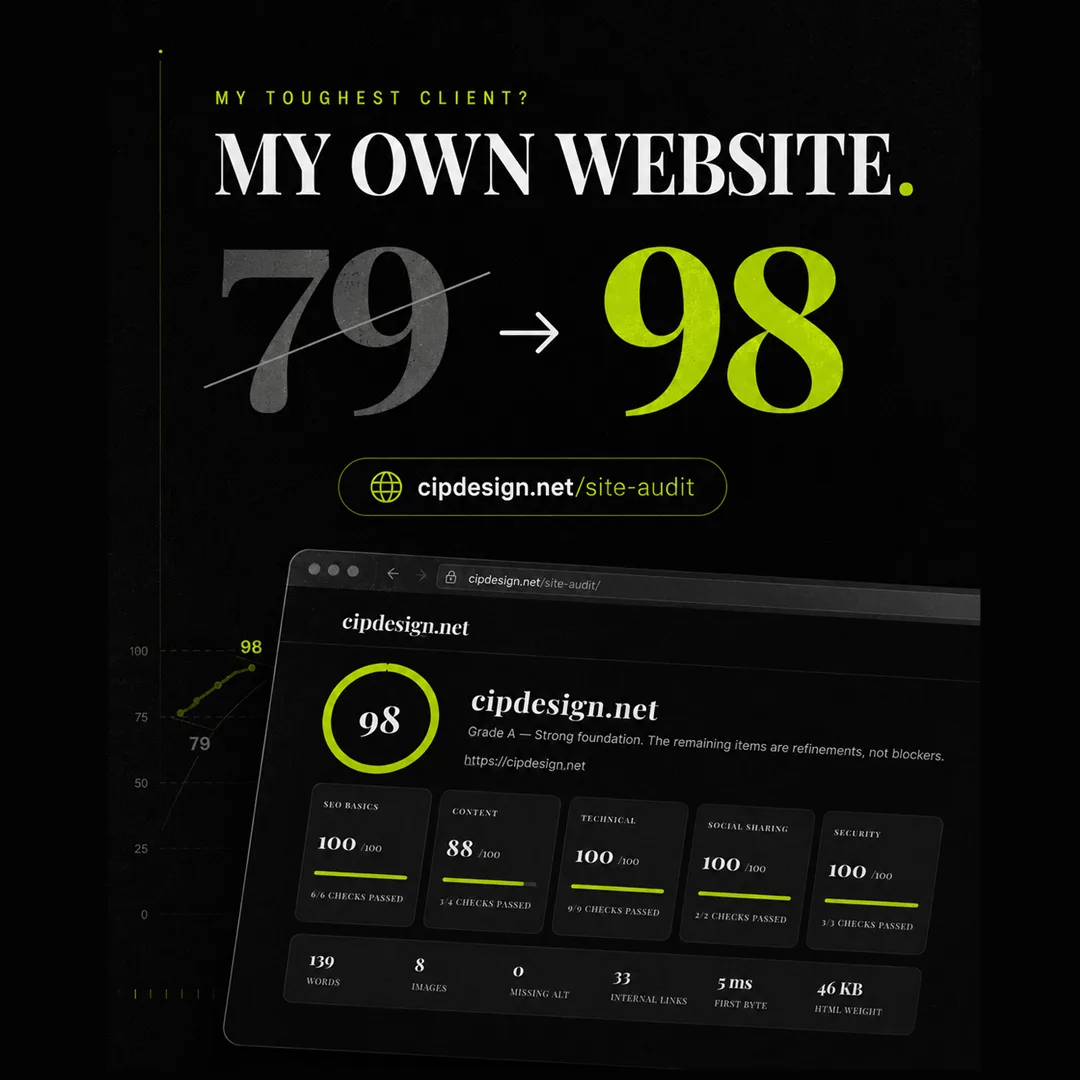
The first Cipdesign audit returned a score of around 79/100.
Not terrible.
But not exactly the reassuring “everything is perfect” result I would have liked to see either.
And it found real issues: a title that could be improved, images without ALT attributes, several missing security headers, and a homepage with too little content for what I wanted the website to communicate.
Exactly the kind of things you can overlook when you work on the same website every day.
So I fixed them.
Then I ran the audit again.
98/100.
That was the moment when the experiment started to feel like a genuinely useful tool.
Sometimes You Don’t Need Another Report. You Need a Starting Point.
That’s how Cipdesign Site Audit came to life.
The idea isn’t to replace an SEO specialist, a developer, or an in-depth technical audit.
The goal is much simpler:
Enter a website address and quickly understand whether there are issues worth investigating.
No software to install.
No account.
No email address.
And no need to understand every technical term before you can find out whether something needs attention.
An automated audit can’t tell you everything about a business, and it can’t evaluate a website with the experience and context that a human specialist can bring.
But it can do one thing extremely well:
It can point you in the right direction.
And Then There’s the Competition
This is where things become even more interesting.
A score on its own tells you something. A comparison can tell you much more.
If your website scores 82, is that good or bad?
It depends.
If your main competitors are scoring around 60, you may already have an advantage. If they’re closer to 95, you’ve just discovered that there may be significant room for improvement.
That’s why, after checking your own website, it can be useful to run the same test on some of the competitors you regularly see in Google search results.
Not to copy what they’re doing.
But to understand where you stand.
A Small Tool Built Around a Real Problem
Cipdesign Site Audit didn’t start with the thought, “Let’s build another online tool.”
It started with a problem I’ve encountered repeatedly throughout years of working in web design and SEO:
Website owners often know that something could be better, but they don’t know what — or where to begin.
Sometimes, the difference between “my website seems fine” and “my website is actually in good shape” comes down to a handful of checks you simply hadn’t thought to make.
I found a few surprises on my own website.
You might find some on yours too. 🙂
How Healthy Is Your Website?
Run the test and find out what your website is doing well — and what might be worth improving.
Run a Free Website Audit with Cipdesign Site Audit →
No account. No email. Just enter your website address and see what it finds.